Export data from IV
This article explains on how to export the data from GTAIV and how to correctly set up the folder structure
Table of Contents
Folder structure
Before exporting files, a correct folder structurer ha to be set up.
for a map part following folder structure is needed. For every different IV filetypes a folder is set up.
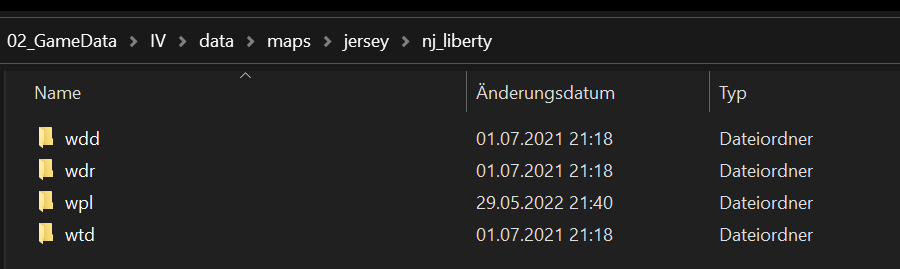
As you can see in the path. The folder structure of IV is used. nj_libertyis inside the jersey folder. The nj_libertyfolder contains all the content of the nj_liberty.img.
For model only parts wpl folder is not needed.
Export Data
To export data from GTAIV, OPENIV is used.
For the documentation nj_liberty data will be used as an example export.
- Got to
pc/data/maps - Go into the map part you want to export. In this case
jersey - In this folder an nj_liberty.ide (definition file), nj_liberty.wpl(Placementfile) and an nj_liberty.img (image file) can be found.
- Export nj_liberty.ide to your folder, by rightclick -> extact to the
jerseyfolder. - Export nj_liberty.wpl by rightclick ->Export to Open placement (.opl) to the
jerseyfolder. - Open
nj_liberty.img - Sort files by type.
- Select all .wdd files and export to openformats (.odd )into
wddfolder insidenj_libertyfolder. - Select all .wtd files and export to openformats (.otd) into
wtdfolder insidenj_libertyfolder. - Select all .wdr files and export to openformats (.odr) into
wdrfolder insidenj_libertyfolder. - Select all .wplfiles and export to openformats (.opl) into
wplfolder insidenj_libertyfolder.